Check PDF accessibility status Remediate PDF files
PDF AI Remediation
Automated PDF Accessibility & Remediation Platform
Why PDF Accessibility Matters
Inaccessible PDFs create real barriers and real legal exposure:
Missing heading structure makes documents impossible to navigate with a screen reader
Broken reading order scrambles content for assistive technology users
Inaccessible tables without proper row/column markup lose all meaning
Scanned image-based PDFs contain zero readable text
No keyboard navigation locks out users who can`t use a mouse
These aren`t edge cases. They affect millions of users and are increasingly the focus of accessibility lawsuits and regulatory enforcement.
See It in Action
Watch a standard PDF transform into a fully structured, accessible HTML document with screen reader support, keyboard navigation, dark mode, AI dictionary, and every accessibility tool built right in.
AI PDF Automation
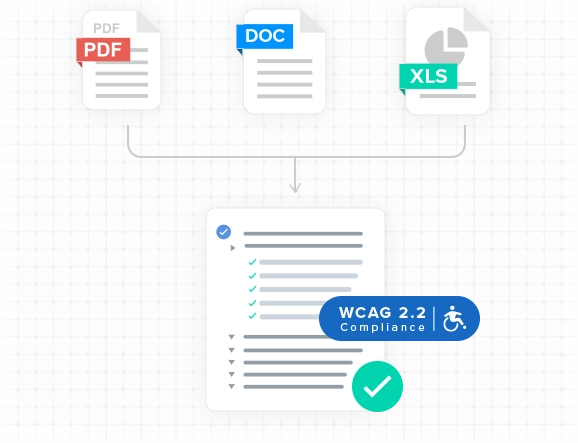
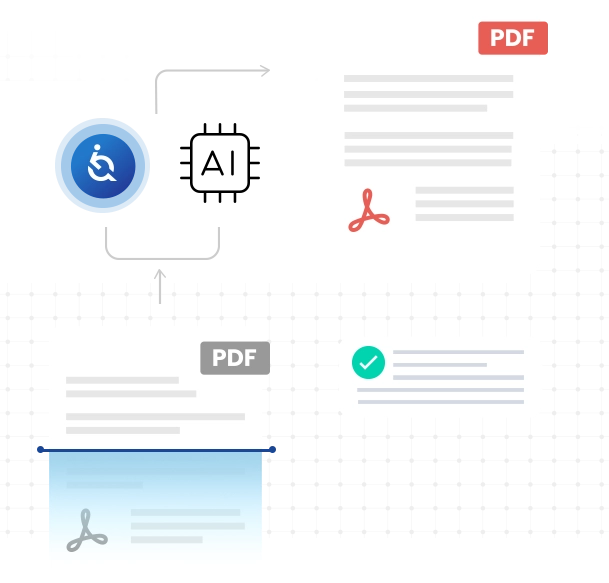
Automate PDF accessibility and processing with advanced AI, delivering accurate, standards-compliant results at scale.
PDF to HTML Automatically detect and convert PDFs into accessible, responsive HTML web pages—no user intervention, saving time and costs while ensuring compliance.
Setup takes minutes. The entire system runs through a single script added to your website:
Add one script tag to your site with your unique sitekey
The script automatically detects every PDF link on the page — no manual markup required
When a user clicks a PDF link, the document opens in a full-featured accessible viewer modal instead of downloading
The PDF is converted to semantically structured HTML with proper headings, tables, reading order, and ARIA markup
The original PDF is always available alongside the accessible HTML version — users choose their preferred format
The conversion happens automatically. New or dynamic PDFs are processed on first access. Organizations can also scan their entire site through the EqualWeb portal to pre-generate accessible versions of every document.
Adding the platform to your website requires a single lightweight script tag with your unique sitekey. The script automatically finds every PDF link on your pages and transforms them into accessible viewer experiences. No backend changes. No CMS plugins. No per-document setup.
Customize the viewer to match your brand — primary accent color, header background, and header text color are all configurable.
The Accessible Document Viewer
Every remediated document is delivered through a dedicated viewer with built-in accessibility tools. This isn`t a basic PDF embed — it`s a complete reading environment designed for users of all abilities.
Document Navigation
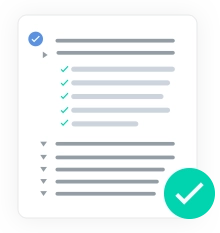
Document Outline with a structured heading tree for quick navigation
Links Panel listing every hyperlink in the document with element tag badges
Keyboard-first navigation — every control and content element is reachable and operable via keyboard
Display Customization
Dark Mode for reduced eye strain and light sensitivity
Adjustable Font Size with keyboard shortcuts (Ctrl+/Ctrl-)
Line Height Control for improved readability
Letter Spacing Control for users with dyslexia or reading difficulties
Accessibility Inspection
Highlight Headings to visualize document structure at a glance
Highlight Links to see all interactive elements
Highlight Landmarks to verify ARIA regions and semantic structure
AI-Powered Reading Aids
Word Dictionary — click any word to get an instant AI-generated definition, part of speech, and usage example
Text Summary — select any passage to get an AI-generated plain-language summary
Dual View & Downloads
HTML View with the fully accessible remediated version
PDF View rendering the original document via PDF.js
Download the original PDF or the accessible HTML version
Print directly from the viewer
All viewer preferences — dark mode, font size, line height, letter spacing, highlights — are saved per document, so users return to exactly where they left off.
Two Modes: Real-Time & Enterprise
Real-Time Mode — PDFs are converted to accessible HTML on first access. Users see the original PDF immediately while conversion runs in the background. On the next visit, the full accessible HTML version is ready. No queues, no delays.
Enterprise Mode — Scan your entire website, identify every PDF, and pre-generate accessible versions in advance. Centralized dashboard for document accessibility management. Ideal for organizations with hundreds or thousands of documents.
This makes the platform a fit for government agencies, financial institutions, healthcare providers, universities, and enterprises managing large document libraries.
Whether your site has 50 PDFs or 50,000 — annual reports, regulatory filings, healthcare forms, educational materials, public policies — the platform handles it.
Every document gets the same treatment:
Proper semantic heading structure (H1-H6)
Accessible table markup with row and column headers
ARIA roles and landmarks
Corrected reading order matching the original document
OCR for scanned PDFs, converting images to readable text
Full keyboard operability and screen reader support
“ADA compliance was definitely a factor with our decision to choose EqualWeb.
In today’s digital landscape, meeting ADA laws that cater to customers with disabilities has become crucial for businesses. EqualWeb understands this need completely, which is why tens of thousands of companies, ranging from Fortune 500 firms to small businesses, trust us to remediate their websites against the highest and most up-to-date international digital accessibility standards. We are honored to partner with companies like Motor Bookstore, who prioritize smart solutions that are not only cost-effective but also ensure inclusivity for all.
“I think everybody should provide [the EqualWeb] functionality to their websites.
Nuwber, after an extensive search for the best web accessibility solution, found that EqualWeb stood out as the top choice for website remediation. We are thrilled to offer our premier web accessibility services to fulfill Nuwber’s accessibility and compliance needs. At EqualWeb, we pride ourselves on delivering the highest level of service to our clients and are grateful for their trust and support. Our commitment to exceptional accessibility solutions is exemplified by our loyal customers. Take a moment to hear the warm testimonial that Nuwber graciously shared with us.
“I have to say that the EqualWeb team has been one of the best partners for Lenovo.
EqualWeb is delighted to cooperate with the world’s leading PC company, Lenovo. We take great pride in providing top-notch web accessibility solutions for Lenovo’s platforms. With Lenovo joining our esteemed list of loyal clients, we are grateful for their trust and support. We also extend our gratitude to Salo for her kind remarks, which attest to our strong partnership. Our collaboration with Lenovo reinforces our commitment to delivering exceptional accessibility solutions.
Hanna Salo, Senior Manager of the E-Commerce Business Unit, at Lenovo