
Joomla accessibility widget
Install the EqualWeb accessibility widget on Joomla in minutes - 8 short steps add AI-powered WCAG 2.2, ADA and EAA remediation and 9 accessibility profiles to any Joomla site.
How to install EqualWeb on Joomla
Elevate the accessibility and compliance of your Joomla website with the power of EqualWeb! Transforming your Joomla website into an inclusive and accessible platform is a seamless process when you choose EqualWeb. Our cutting-edge solutions and services are designed to enhance accessibility and support compliance, making your website welcoming to all users.
- Click here to download our plugin (https://login.equalweb.com/plugin/equalwebForJoomla.zip)
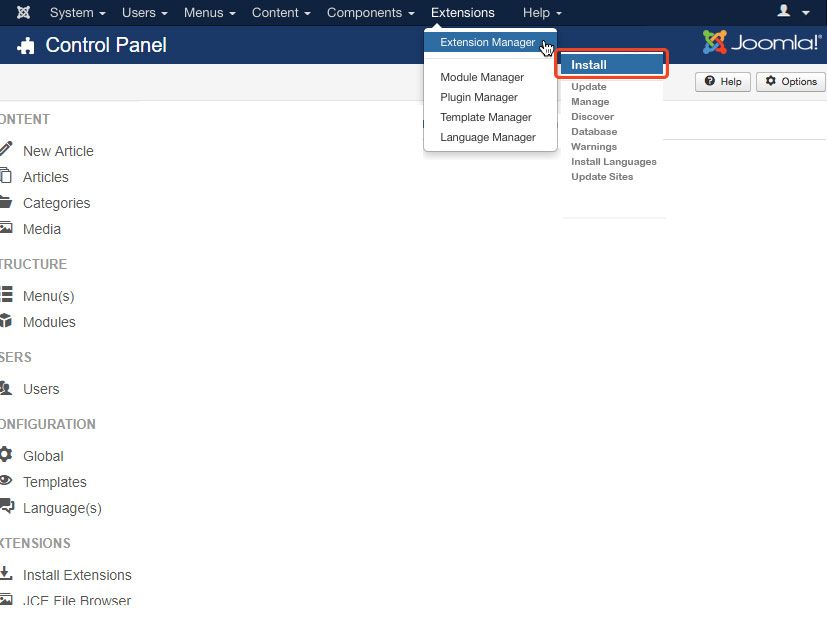
- In order to implement the plugin, on the menu, click on - Extensions -> Extension Manager -> Install.
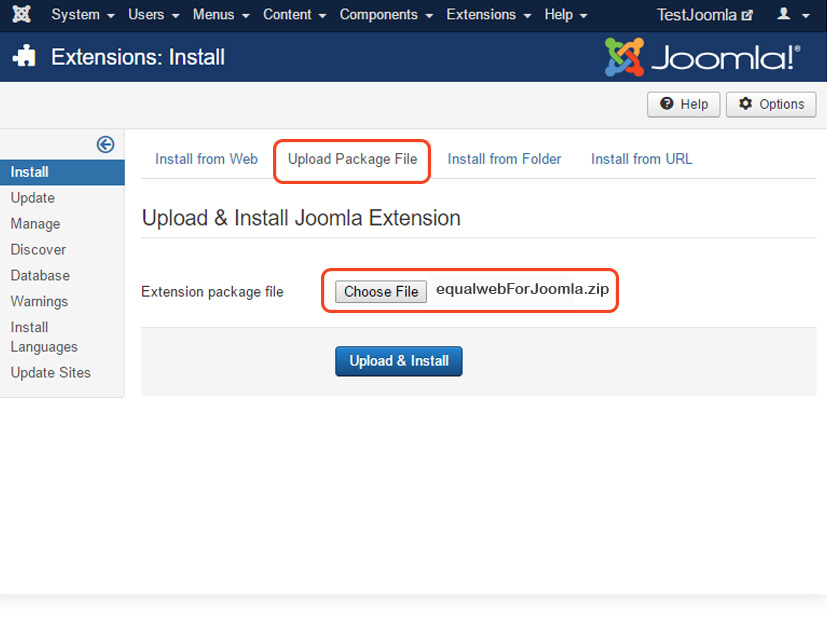
- Inside the Component installation page, click on "Upload Package File".
- Click "Install", and choose our plugin from stage one.
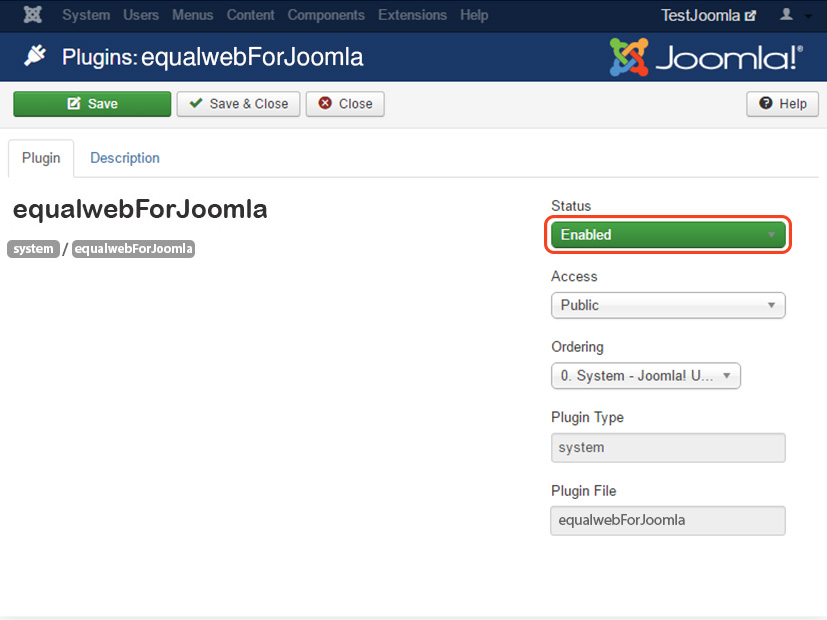
- After the plugin is installed, click once again on the top menu, click on - Extensions -> Plugins, and search for "equalwebForJoomla".
- Enter the result that you received, change the status to - "Enabled".
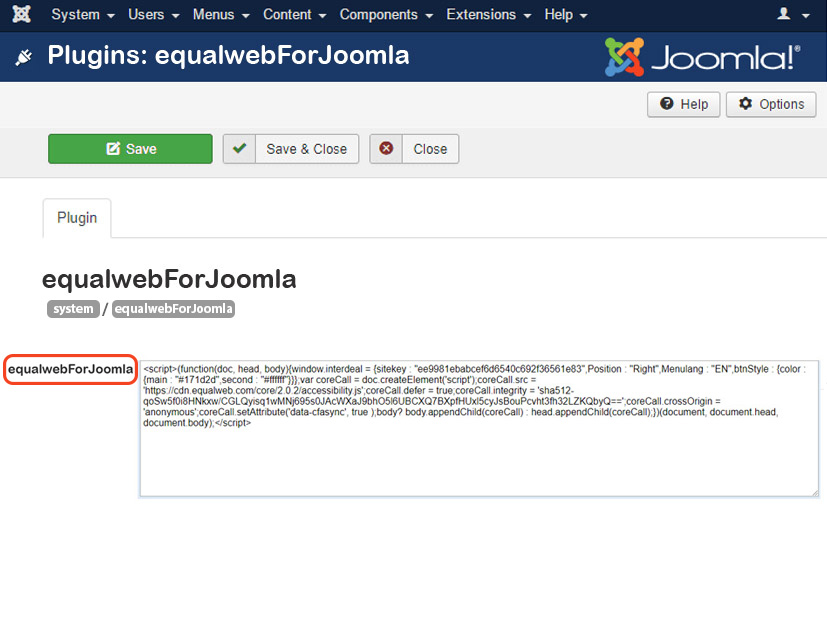
- Paste EqualWeb code that was sent to you inside the code area that opened up.
- Click - "Save" to save your changes.
Your EqualWeb installation code is waiting in your account - start a 7-day free trial or log in to copy it.
The same EqualWeb widget, on Joomla
EqualWeb's Accessibility Widget is an AI-powered accessibility solution that automatically remediates WCAG 2.2, ADA and EAA issues on any website and adds a profile-based accessibility menu - installed with one line of code.
Remediation is aligned with the W3C Web Content Accessibility Guidelines (WCAG) 2.2, the technical standard behind the ADA, the European Accessibility Act and most accessibility laws worldwide.