
TL;DR: Updated: Apr 20, 2025
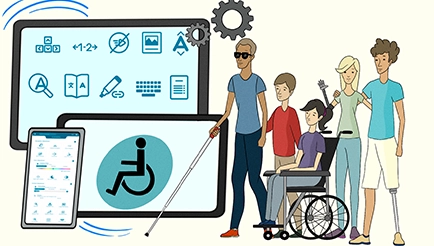
The Critical Role of Assistive Technology in Digital Accessibility
Imagine trying to browse the internet without a mouse, or attempting to read an article without being able to see the screen. Millions of people worldwide navigate the digital world this way every day, relying on assistive technology to interact with online content. Without proper web accessibility, these technologies become ineffective, leaving users excluded from essential online services.Assistive technology is more than just a tool – it`s a bridge to digital inclusion. Businesses and website owners must ensure their digital platforms are not only compatible with assistive technology but designed with accessibility in mind from the start.
What Is Assistive Technology?
Assistive technology refers to any device, software, or tool that helps individuals with disabilities perform tasks that may otherwise be difficult or impossible. These tools range from low-tech solutions like hearing aids and magnifying glasses to high-tech innovations such as speech recognition software and screen readers.Examples of Assistive Technology:
- Low-tech: Canes, hearing aids, braille books, tactile keyboards.
- High-tech: Screen readers, speech-to-text software, eye-tracking devices, alternative input systems.
The Connection Between Web Accessibility and Assistive Technology
Assistive technology and web accessibility go hand in hand. While assistive technology provides the tools to help individuals navigate digital content, web accessibility ensures that content is designed in a way that supports those tools.• Web accessibility focuses on inclusive design and development so that websites work seamlessly with assistive devices.
• Assistive technology allows users to navigate, read, and interact with digital content that has been made accessible.
For example, a screen reader enables blind users to navigate websites - but it can only function effectively if the website follows accessibility best practices like using proper heading structures, alternative text for images, and keyboard navigability.
The Business Case for Assistive Technology Compatibility
Ensuring your website is compatible with assistive technology isn’t just about legal compliance - it’s also a business opportunity. Companies that prioritize accessibility benefit in multiple ways:- Expanded Audience Reach - Over 1 billion people worldwide have disabilities. Ensuring accessibility means reaching this market and their families.
- Avoiding Legal Risks - Accessibility lawsuits are rising, with businesses facing costly penalties for non-compliance.
- Enhanced Brand Reputation - Consumers prefer businesses that demonstrate inclusivity and corporate responsibility.
- Improved User Experience for All - Accessibility features, like better navigation and clearer text, benefit all users, not just those with disabilities.
How to Ensure Website Compatibility with Assistive Technology
Making a website compatible with assistive technology requires an understanding of accessibility standards like the Web Content Accessibility Guidelines (WCAG) and how assistive tools interact with digital content.Key Steps for Assistive Technology Compatibility:
- Use Semantic HTML - Ensure proper use of headings, lists, and landmarks for clear structure.
- Provide Alternative Text - Add descriptive alt text for images and non-text elements.
- Ensure Keyboard Accessibility - Websites should be navigable without a mouse.
- Offer Captions and Transcripts - Include text alternatives for audio and video content.
- Test with Assistive Tools - Use screen readers and other assistive devices to identify barriers.
- Automated Accessibility Testing - Tools like axe and WAVE can identify WCAG violations.
- Assistive Technology Simulators - Developers can test how users experience their websites.
Take Action: Create an Inclusive Digital Experience
Ensuring compatibility with assistive technology is not just about meeting compliance requirements-it’s about fostering an inclusive digital experience. Businesses that prioritize accessibility:- Reach a wider audience.
- Reduce legal risks.
- Improve usability for all users.
- Strengthen brand trust and credibility.
Want to make your website more accessible? Contact us and get started on your accessibility journey today!
Keep reading
Last updated . Reviewed by the EqualWeb accessibility team.
Accessibility questions about your own site?
Run a free check, or talk to a certified IAAP/CPWA specialist about audit, remediation and monitoring.