Check PDF accessibility status Remediate PDF files
PDF AI Remediation
PDF/UA Accessibility AI-Powered PDF Accessibility Tools for Full WCAG 2.2 & Section 508 Compliance with international accessibility laws - including the European Accessibility Act (EAA).
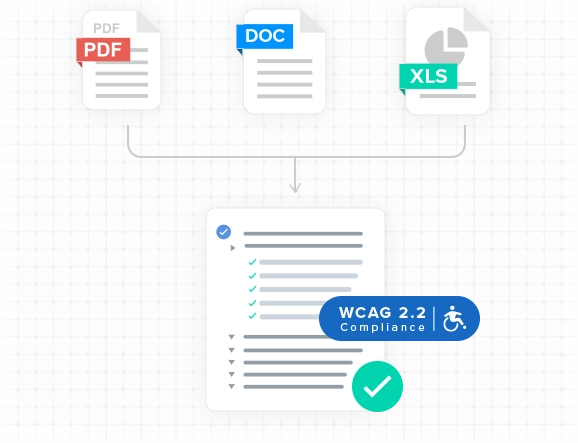
In today`s digital-first world, accessible PDFs are not optional - they are a legal and ethical requirement. Whether your goal is WCAG 2.2 PDF compliance, Section 508 PDF compliance, or achieving full PDF/UA (PDF/Universal Accessibility) certification, you need more than a basic scan. You need AI PDF accessibility tools that can automatically detect and fix accessibility issues at scale.
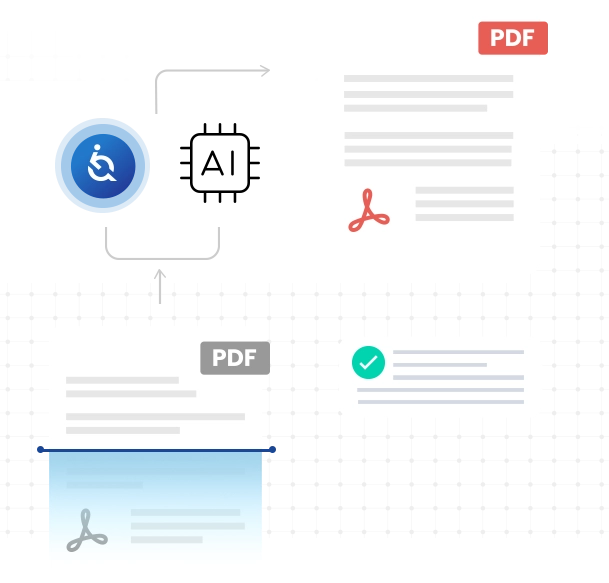
EqualWeb`s PDF Accessibility Tools go beyond checking for errors - our automatic PDF remediation engine, powered by advanced AI, detects and fixes PDF/UA compliance errors instantly, while preserving the original design of your documents.
PDF/UA (PDF/Universal Accessibility), defined under ISO 14289, is the international standard for accessible PDF documents. Its purpose is to ensure PDF files are fully usable by people who rely on assistive technologies such as screen readers, braille displays, and voice navigation systems.
A PDF/UA-compliant document is not just visually correct; it is structured, tagged, and formatted so that its content can be understood without visual interpretation
Core Requirements of PDF/UA Compliance
To meet PDF/UA standards, a document must:
Be fully tagged - Headings, paragraphs, images, tables, and lists must be semantically tagged.
Include alternative text - All non-text elements must have descriptive Alt Text.
Follow a logical reading order - The tag tree must reflect the correct sequence.
Use accessible fonts and encoding - Ensuring all text is machine-readable.
Structure tables and forms properly - With clear headers, labels, and associations.
Include metadata - Such as document title, language, and author for assistive technology context.
Avoid accessibility blockers - No scanned text without OCR, unlabeled form fields, or meaningless decorative images.
Legal Compliance - Ensures adherence to WCAG 2.2 Level AA, Section 508, and global accessibility regulations.
Equal Access - Provides an inclusive reading experience for all users.
SEO Benefits - Accessible PDFs are better indexed by search engines.
Future-Proofing - Guarantees compatibility with evolving assistive technologies.
How EqualWeb`s AI Delivers PDF/UA Remediation
Our AI PDF accessibility platform ensures your documents meet and exceed PDF/UA requirements:
PDF/UA Error Detection
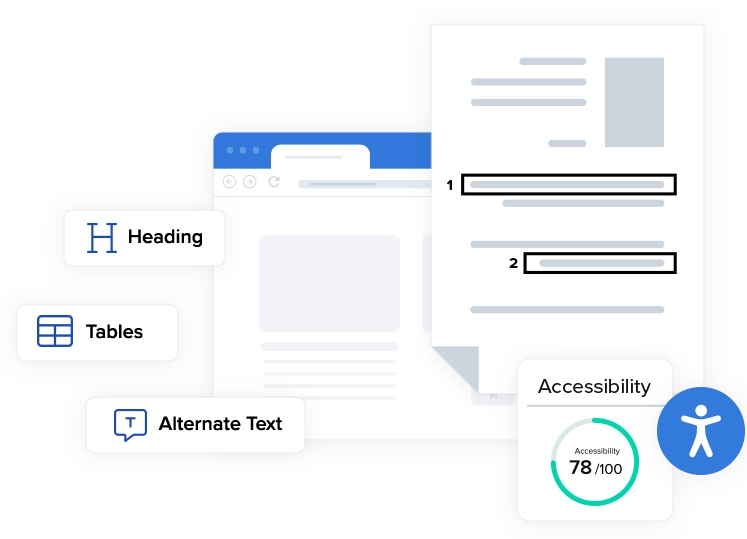
Our integrated PDF Accessibility Checker scans for missing tags, missing alternative text for links, images, and tables, missing metadata, missing headers and more.
Automatic PDF Remediation
AI adds headings, generates Alt Text, fixes tables, and applies semantic structure.
Hybrid AI + Human Review
Combining machine efficiency with expert accessibility validation.
Reports
Detailed insights into all fixes made, proving compliance.
Common PDF Accessibility Issues and How We Fix Them
PDF Accessibility Issue
Missing Alt Text in images
Incorrect heading structure
Reading order problems
Complex tables
How Our PDF/UA Remediation Works
AI-generated descriptions using image recognition
Auto-tagging with correct H1, H2, H3 hierarchy
Tag restructuring for logical WCAG 2.2 PDF compliance
Adds headers, header and cells association, AI Generated summary
With more than 15 years of expertise in accessible PDF solutions and web accessibility, EqualWeb is trusted by governments, corporations, and nonprofits worldwide.
Our PDF/UA remediation ensures your documents aren`t just checked, but are truly accessible PDFs aimed at achieving the highest possible level of compliance and offer an inclusive user experience.
Whether you need a one-time PDF accessibility check or ongoing bulk automatic PDF remediation, EqualWeb`s AI PDF accessibility tools deliver accuracy, scalability, and peace of mind.
“ADA compliance was definitely a factor with our decision to choose EqualWeb.
In today’s digital landscape, meeting ADA laws that cater to customers with disabilities has become crucial for businesses. EqualWeb understands this need completely, which is why tens of thousands of companies, ranging from Fortune 500 firms to small businesses, trust us to remediate their websites against the highest and most up-to-date international digital accessibility standards. We are honored to partner with companies like Motor Bookstore, who prioritize smart solutions that are not only cost-effective but also ensure inclusivity for all.
“I think everybody should provide [the EqualWeb] functionality to their websites.
Nuwber, after an extensive search for the best web accessibility solution, found that EqualWeb stood out as the top choice for website remediation. We are thrilled to offer our premier web accessibility services to fulfill Nuwber’s accessibility and compliance needs. At EqualWeb, we pride ourselves on delivering the highest level of service to our clients and are grateful for their trust and support. Our commitment to exceptional accessibility solutions is exemplified by our loyal customers. Take a moment to hear the warm testimonial that Nuwber graciously shared with us.
“I have to say that the EqualWeb team has been one of the best partners for Lenovo.
EqualWeb is delighted to cooperate with the world’s leading PC company, Lenovo. We take great pride in providing top-notch web accessibility solutions for Lenovo’s platforms. With Lenovo joining our esteemed list of loyal clients, we are grateful for their trust and support. We also extend our gratitude to Salo for her kind remarks, which attest to our strong partnership. Our collaboration with Lenovo reinforces our commitment to delivering exceptional accessibility solutions.
Hanna Salo, Senior Manager of the E-Commerce Business Unit, at Lenovo